
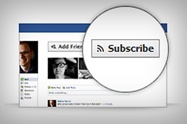
 In this tutorial you will learn "How to Add Facebook "Subscribe" Button To Blogger Blog".Like other FB users, I have connected my blog with a public page (If don't have public page create one) and a personal profile which I primarily use it for connecting with my friends and family.But with the subscribe option people can get your public updates in their news feed.
You can add a Subscribe Button to your Facebook Profile or Blog/Websites.It will increase your audience and will help you to get more visitors to your blog or website.
You May Like To Read:
Facebook: Some Interesting Things You Must Know
Add JQuery Pop-Up Facebook Like Box To Blogger
Add Pop-Up Facebook Like Box With Twitter Button
Add Official Facebook Recommendations Bar Widget To Blogger
Demo Screenshot: Subscribe Button For Blogger Blog

How to Add Facebook "Subscribe" Button To Blogger Blog
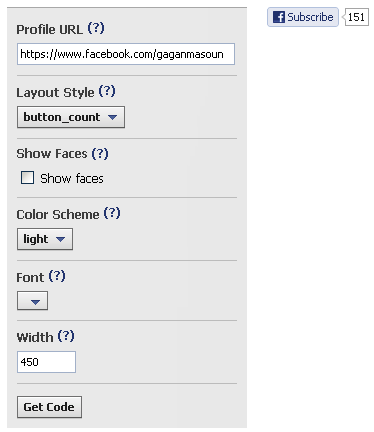
- Go to Facebook Developer Subscribe Plugin Page
- Write Your Profile URL, Example: https://www.facebook.com/gaganmasoun
- Now Customize Your "Subscribe" Button: Layout Style, Show Faces, Color Scheme, Font, Width
See Also: How To Delete Facebook Timeline?
- Click On "Get Code" and Copy It. As you can see there's 4 options of the codes (HTML5, XFBML, IFRAME and URL) Then if you use Blogger platform you can choose IFRAME.

- Now, Go to Blogger Dashboard > Layout > Add a Gadget. Then Choose HTML/JavaScript widget & simply paste the code in the box:
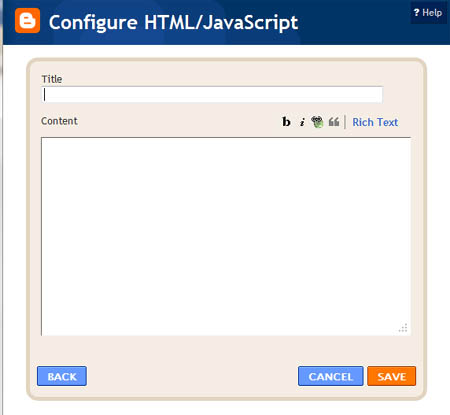
- Re-position the widget on your sidebar as you wanted, and "Save" it
- Its All Done, Enjoy Blogging.
If you need any help ask via comments.Stay blessed :)
 Author - Gagan Masoun is the owner of Blogs Daddy Blog.Gagan lives in India, has been blogging since 2010 and writing Blogs Daddy Blog since 2011.You can find him in the usual social networks.

0 comments:
Post a Comment