
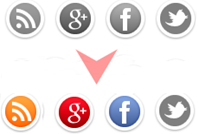
 There are so many social networking websites available today and people are using them with a lot of interest. Growing interest of people in social networking sites has given birth to thousands of social sharing tools and online services. Bloggers are getting so much traffic for their websites and blogs from these social networking websites.
Webmasters today depend largely on networks like Facebook, Google plus and twitter to drive more traffic to their websites or blogs. These tools are useful only if they can attract a reader to bookmark and share your article. To help you for increasing fans and readers I bring you "Social Sharing Widget With Cool Hover Effect". It contains buttons from popular services like Google Plus, Facebook, Twitter and RSS. I have coded it using basic HTML and CSS styles. Let's start the tutorial now:
You May Like To Read:
Screenshot Demo:

Add Touch Me Social Sharing Widget To Blogger Blog
- Go to Dashboard > Design > Page Elements.
- Click Add A Gadget. In New Window, Select HTML/Javascript .
- Copy The Code Given Below and Paste It Inside The Box.
- Save The Gadget
Add Touch Me Social Sharing Widget To WordPress Blog
- Go to Dashboard > Appearance > Widgets > Available Widgets
- Drag Text Widget Into a Sidebar.
- Paste In The Code.
- Save Widget & Its Done
Code For Touch Me Social Sharing Widget
<style>
/*--------BlogsDaddy Social Sharing Widget ------*/
.socialsharing a {
display:block;
height:50px;width:50px;padding:0 4px;float:left;
background:transparent url(https://blogger.googleusercontent.com/img/b/R29vZ2xl/AVvXsEjAd5TOqmltucZkPsLm4U5l7Ee-c_aMakNVtBNG3WLyOJ07EwXLt6O3RET2cSYe7Nhcap5eixMR0NoSnBWj-8OqDTEF0LZzx30uELREnlCWRFlbNJM4WTA8atJYCW_-bOPGD3Mpkkki4pQ/s1600/Sharing+buttons.png) no-repeat;
-webkit-transition: ease-in 0.2s all;
-moz-transition: ease-in 0.2s all;
-o-transition: ease-in 0.2s all;
-ms-transition: ease-in 0.2s all;
transition: ease-in 0.2s all;
cursor:pointer;
}
.socialsharing a.googleplus {
background-position: 0px -58px;
}
.socialsharing a.googleplus:hover {
background-position: 0px 0px;
}
.socialsharing a.twitter {
background-position: 0px -290px;
}
.socialsharing a.twitter:hover {
background-position: 0px -232px;
}
.socialsharing a.facebook {
background-position: 0px -406px;
}
.socialsharing a.facebook:hover {
background-position: 0px -348px;
}
.socialsharing a.rss {
background-position: 0px -174px;
}
.socialsharing a.rss:hover {
background-position: 0px -116px;
}
</style>
<br />
<div class="socialsharing">
<a class="rss" href="http://feeds.feedburner.com/BlogsDaddy" rel="external nofollow" target="_blank"></a>
<a class="googleplus" href="https://plus.google.com/u/0/117100549673033253859" rel="external nofollow" target="_blank"></a>
<a class="facebook" href="https://www.facebook.com/BlogsDaddy" rel="external nofollow" target="_blank"></a>
<a class="twitter" href="http://twitter.com/BlogsDaddy" rel="external nofollow" target="_blank"></a>
</div>
Remember Notes : The social and feed links are highlighted in yellow, you need to change these to your own.
Recommend For You: Cloud Social Sharing Buttons For Blogger Blog
Recommend For You: Cloud Social Sharing Buttons For Blogger Blog
The steps are very easy. In case you got yourself into a trouble then Please let me know and I would love to help you. Please share this widget with your friends by liking us on Facebook or recommending us on Google+. Love You All, Happy Blogging and Stay Blessed. :)

Author - Gagan Masoun is the owner of Blogs Daddy Blog.Gagan lives in India, has been blogging since 2010 and writing Blogs Daddy Blog since 2011.You can find him in the usual social networks.


Thanks a lot @Arnav bro :) Always keep in touch ...
ReplyDelete