
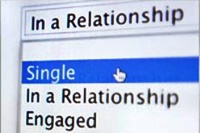
 Relationship and breakup are the parts of our life. Every person have a Facebook account and FB has a great feature to show your relationship status on your timeline profile. Lot of people when they fall in love with any person then they feel very happy and they want to let friends know that they are happy and have found a soul mate.
 But, some times they don't want to discuss about their relationship status with friends. So, follow these steps to change your relationship status on your Facebook timeline without alerting your friends.
- Recommend For You - Permanently Delete Facebook Messages From The Archive
So, if you need to make such a momentous change to your Facebook profile, grab your chocolate and have a read through our quick how-to gallery to see how you can keep your breakup private.
Step 1: Go To Facebook & Login Your Account.
Step 2: Go To Facebook Profile, Click on the "About" link under your profile picture.

Step 3: Now, edit the basic information by clicking the "Edit" icon in the top-right corner.

Step 4: Click on the globe icon to the right of the "Relationship status" option. Select "Only me" and save your changes.

Step 5: In the box “I am” change your “Relationship status” of ”has a relationship” to “Single” or vice versa. Then you click on “Save” to cancel your previous relationship status.
Step 6: Select "Only me" and change your relationship status view the drop-down menu to keep your relationship status change is shown in the news feed their friends.
Change Your Relationship Status On FB Without Alerting Friends
If you change your relationship status from being in a relationship with some 1 to being single using the default settings, FB will give news to all your friends to this via their News Feeds. If you want to change your status in a more subtle manner, I can show you how.
Step 2: Go To Facebook Profile, Click on the "About" link under your profile picture.
Step 3: Now, edit the basic information by clicking the "Edit" icon in the top-right corner.
Step 4: Click on the globe icon to the right of the "Relationship status" option. Select "Only me" and save your changes.
Step 5: In the box “I am” change your “Relationship status” of ”has a relationship” to “Single” or vice versa. Then you click on “Save” to cancel your previous relationship status.
Step 6: Select "Only me" and change your relationship status view the drop-down menu to keep your relationship status change is shown in the news feed their friends.
Additional Tips
1. If by mistake your new single status published to the world, there is a simple tip to remove it from your Timeline (and your friend's news feeds).
Go to your FB profile and click on "Activity log" on the right-hand side of your profile page.

Go to your FB profile and click on "Activity log" on the right-hand side of your profile page.
2. Click on the circle to the right of the status and select "Hidden from Timeline".

Read Also - How To Create A Facebook Fan Page For Your Blog
I hope this short tutorial has been useful for you, if so give click on “like”. Do you like to keep such things private? Share your suggestions and views in the comments below.

Author - Gagan Masoun is the owner of Blogs Daddy Blog. Gagan lives in India, has been blogging since 2010 and writing Blogs Daddy Blog since 2011.You can follow him on twitter @BlogsDaddy. You can also follow him on Google+.


0 comments:
Post a Comment