
 Few months ago UIDAI (Unique Identification Authority Of India, Government of India) launched its e-Aadhaar portal eaadhaar.uidai.gov.in to download e-Aadhaar card. It was really a good news for that people who are looking for their Aadhaar Card. I applied for a Aadhaar Card on 11-05-2013 but didn't get my Aadhaar Card. There are many people who didn't receive their Aadhaar cards. I have a solution for this problem.
 Now you can download e Aadhaar Letter from the official website at eaadhaar.uidai.gov.in. In this short article we will show you How to download e-Aadhaar letter online free.
Take printout of the generated Aadhaar and after that you can use it anywhere. The mandatory details to download your e-Aadhaar are listed below:
- Enrolment No. and Date time : (1234/12345/12345) (dd/mm/yyyy hh:mm:ss)
- Resident Name :
- Pincode :
- Enter the text shown :
How to Download e-Aadhaar From eaadhaar.uidai.gov.in
To download free copy of your e-Aadhaar please follow given below steps:
- Go to http://eaadhaar.uidai.gov.in
- Please fill the details like Enrolment No, Date Time followed by Captcha. See the details on the acknowledgement/ Resident Copy that was given at the enrolment center.
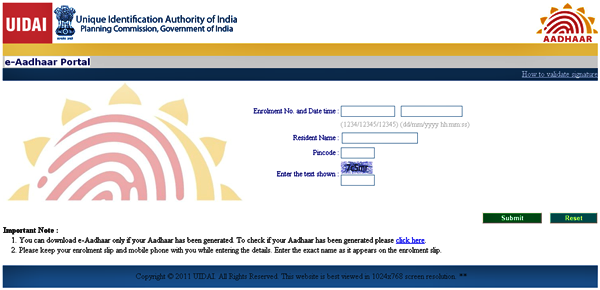
- Click on “Submit” button to move forward
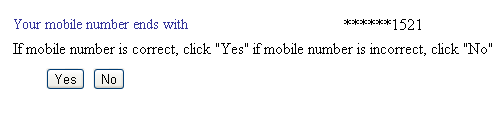
- Now, you will see the last 4 digits of your mobile number which was registered at the enrollment center. If the mobile number is correct then press “Yes” button. If the shown number is wrong then press “No” to enter new mobile number.
- Now you will get OTP (One Time Password) on your mobile from Aadhaar as a part of verification process.
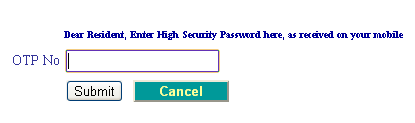
- Enter the OTP which was sent to the shown mobile number to proceed further.
- Now download e-Aadhaar Card in PDF Format and enter your Pin Code Number (Postal Code) to open it.
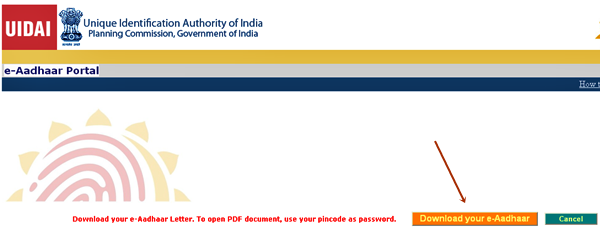
Note - Before the above process Check Your Aadhaar Status here. Also please enter your area pin code correctly at the time of opening the PDF e-Aadhaar card. If you need any type of help then leave your comments below or call Aadhaar toll free number 1800 300 1947.


0 comments:
Post a Comment